Automated Progress Report Software Pricing Guide: What to Expect
Progress report software quotes range from a few dollars per member to flat annual fees. If you manage field staff who send updates over WhatsApp, the pricing model matters more than the number, because per-feature tiers can double your bill as your team grows.
This guide breaks down the pricing models you will encounter, explains what Tasks.Bot charges and why it skips tiers, and shows where hidden costs typically hide. By the end, you will know whether a per-member plan, a flat annual fee, or a free trial first makes sense for your team.
What Is Tasks.Bot? Automated Progress Reporting via WhatsApp
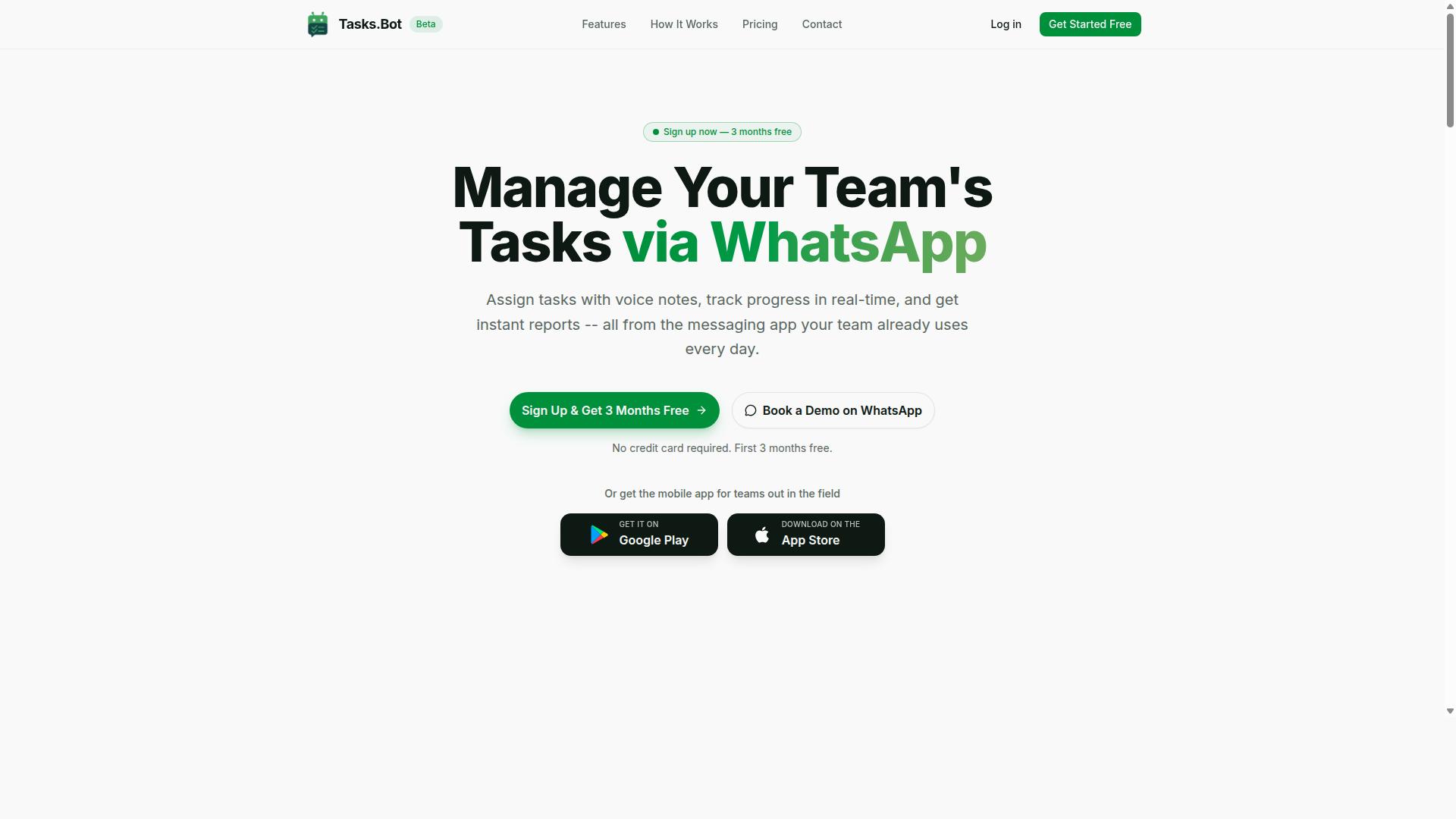
Tasks.Bot is a task management platform that operates entirely within WhatsApp, enabling teams to assign tasks, track progress, and receive reports without leaving the messaging app. There is no separate tool to learn, no new account to create, and no dashboard your team has to remember to open.
That design choice matters when you are evaluating automated progress report software. Most platforms ask staff to adopt a new app, which is where rollout plans usually stall. Tasks.Bot instead sits inside a channel your team already checks dozens of times a day, so adoption friction drops sharply and updates arrive in real time.
The platform also offers a mobile app for field teams, giving workers who are not sitting at a desk a second way to stay connected. The service is currently in beta and includes a free trial period, which is useful if you want to see how automated reporting fits your workflow before committing budget.
From a pricing guide perspective, this architecture shapes what you should expect to pay for. Because reporting runs through WhatsApp rather than a standalone portal, the cost conversation tends to center on user seats and report volume rather than heavy onboarding or implementation fees. Fewer moving parts generally means a simpler cost structure.
Who Tasks.Bot Serves: Teams With Field Staff on WhatsApp
Tasks.Bot is designed for teams that rely on WhatsApp for daily communication, particularly those with field staff who need to manage tasks, track attendance, and generate payroll-ready hours. If your workers are already coordinating over chat, the platform slots into an existing habit instead of replacing it.
Field service crews, delivery teams, and outside sales reps are the clearest fit. These groups typically need four things from any tool: task assignment, progress tracking, attendance verification, and payroll-ready hours. Tasks.Bot addresses that set directly, which is why the pricing question is less about feature count and more about how many people need access.
Hundreds of teams already use the platform, according to the company. That track record is worth weighing when you compare subscription models, since a tool with real users behind it is a lower-risk line item than an unproven one.
When you map this to a pricing guide, the practical takeaway is to count your field headcount first. Per-user pricing and tiered plans both scale with seats, so knowing how many staff need task access, and how many managers need reporting access, tells you more about your likely bill than any feature checklist does.
What Automated Progress Report Software Actually Costs - And Where Tasks.Bot Fits
Automated progress report software typically uses various pricing models, from per-user subscriptions to flat-rate plans, and understanding these can help you evaluate where Tasks.Bot stands.
Pricing in this category is rarely a single number. A platform might advertise one monthly figure, then layer on charges for extra seats, report volume, integrations, or premium support. The true cost structure only becomes clear once you map every line item.
Most buyers compare quotes on the headline rate alone. That approach hides the real spend. A plan listed at a modest per-user rate can climb quickly once you add admin seats, client accounts, or higher report generation volume.
Common cost components to check before committing include:
- Base subscription for a set number of users or projects
- Setup or onboarding cost charged as a one-time implementation fee
- Integration costs for connecting existing tools and data sources
- Add-on charges for API access, white-labeling, or branding options
- Overage fees when usage exceeds the plan's stated limits
Tasks.Bot positions itself as a transparent alternative to this layered approach. Rather than burying value behind add-ons, the emphasis is on a clear cost structure you can understand before you buy. That simplicity is the benchmark to keep in mind as you read through the pricing models below.
The Pricing Models You'll Encounter (Per-Member, Per-Month, Per-Feature)
Most automated progress report tools charge per member per month, often with tiers that unlock features like advanced reporting or integrations.
Per-user pricing is the most common subscription model. Rates in the market generally fall somewhere between a few dollars and roughly fifteen dollars per user each month, though the exact figure depends on the vendor and plan level. This model scales linearly: a ten-person team pays ten times the per-seat rate, and a fifty-person team pays fifty times.
The upside is predictability for small teams. The downside is that costs grow with headcount, even when some users only need to view reports rather than build them. Watch for the distinction between admin seats, which usually cost more, and viewer seats, which may be cheaper or included.
Tiered plans split features across basic, pro, and enterprise levels. A basic tier might cap report generation volume or omit real-time dashboards, while higher tiers unlock KPI tracking, data visualization, and automated scheduling. Tiered pricing is easy to compare on paper, but it often leads to upsells once a team outgrows its current level.
Usage-based billing charges by consumption, such as per report generated or per volume of data processed. This can suit teams with irregular reporting needs, but it makes monthly costs hard to forecast. A busy quarter can produce a surprisingly large bill.
Freemium and free trials let you test a platform before paying. Freemium tiers usually limit user seats, project limits, or the template library, so they work for evaluation rather than full production use.
Enterprise licensing replaces per-user rates with a negotiated annual contract. These deals often bundle customization charges, dedicated onboarding, and higher data storage limits into one flat-rate agreement. They suit large organizations but rarely offer the flexibility smaller teams need.
Beyond the model itself, factor in setup fees, integration costs, and customization charges. These one-time expenses can rival a full year of subscription payments. A pricing guide is only useful if it accounts for the total cost of ownership, not just the sticker price.
Tasks.Bot's Pricing: Full Access, No Tiers, No Surprises
Tasks.Bot offers a single 'Full Access' plan with all features included, eliminating the complexity of tiered pricing. There are no premium add-ons, no feature gates, and no upgrade prompts waiting at the end of a workflow. Every team gets the same complete platform from day one.
This approach stands out in a market where tiered plans often hide essential capabilities behind higher-priced brackets. With Tasks.Bot, there is no need to compare feature matrices or guess which plan covers automated scheduling, real-time dashboards, or KPI tracking. Everything is included, so budgeting becomes a simple multiplication of team size by the per-member rate.
Pricing is available in Indian Rupees (₹) and US Dollars ($), making the platform accessible to teams across different regions. A currency selector on the site lets buyers choose between the two options, so international teams are not forced into a single billing currency.
Because there are no hidden fees and no surprise charges at renewal, finance teams can forecast software costs with confidence. The sections below break down the exact monthly and annual rates, the savings from annual billing, and how the free trial works.
Monthly vs. Annual Plans in ₹ and $ - and the 50% Annual Saving
Tasks.Bot's monthly plan costs ₹200 per member per month, while the annual plan is ₹1,200 per year per member, offering a 50% saving compared to paying monthly. In US Dollars, that works out to roughly $2.50 per member per month or $15 per member per year.
The math is straightforward. Paying monthly for a full year costs ₹2,400 per member. Choosing annual billing instead cuts that figure in half, saving ₹1,200 per member every year. For a team of 10 members, the annual plan costs ₹12,000 total versus ₹24,000 on the monthly plan.
Both plans include every feature. There is no stripped-down monthly version and no premium annual tier. The only difference is the billing cycle and the resulting discount.
Which one makes sense? The monthly plan suits teams that want flexibility or are still gauging how many seats they need. The annual plan rewards teams committed to long-term use, especially those running ongoing field operations where the platform becomes part of daily routines. If retention is not in doubt, annual billing is the obvious choice on cost alone.
| Plan | Price per Member | Team of 10 (Yearly Total) |
|---|---|---|
| Monthly | ₹200 per month (about $2.50) | ₹24,000 (about $300) |
| Annual | ₹1,200 per year (about $15) | ₹12,000 (about $150) |
3 Months Free, No Credit Card: How to Evaluate Before You Pay
Tasks.Bot offers a 3-month free trial with no credit card required, allowing teams to test the platform thoroughly before committing. There is no setup fee and no onboarding cost, so evaluating the software carries no financial risk.
Three months is a meaningful window. It covers a full business quarter, which gives teams time to run the platform through real workflows rather than a quick demo. Field teams in particular can see how reports, voice note task creation, and attendance tracking hold up across daily operations and reporting cycles.
Because no card is required, there is nothing to cancel if the platform is not the right fit. The brand also notes that users can cancel anytime, and a refund policy is referenced in the site footer. Teams that prefer a guided look can use the 'Book a Demo on WhatsApp' option before or during the trial.
One point worth knowing: the service is currently in beta. That status can work in a team's favor, since beta users often have more direct opportunities to share feedback that shapes the product. Use the trial to check whether the features match your reporting needs, how the per-member cost scales with your headcount, and whether the team actually adopts the tool day to day. If the answer is yes, the annual plan delivers the strongest value.
What Drives the Price: Features That Power Automated Progress Reports
The value of automated progress report software lies in its features, and Tasks.Bot packs several that directly impact team efficiency. When evaluating a pricing guide or cost structure, the real question is not what a subscription costs, but what capabilities that subscription unlocks.
Automated progress report software earns its price by replacing manual work. Instead of chasing status updates, managers get real-time dashboards and reports generated from the tasks a team already completes. That shift is what justifies a subscription model, whether it is per-user pricing, tiered plans, or flat-rate pricing.
Tasks.Bot takes a notably simple approach to this value exchange. Its core reporting and accountability features sit inside a single plan, rather than being split across add-ons that competitors charge extra to unlock. The platform operates entirely within WhatsApp, so team members do not need to install anything or create new accounts, which removes the onboarding cost of adopting yet another tool.
Key capabilities include instant reports, a live day tracker, voice note task creation, face-verified attendance, GPS tracking, and payroll-ready hours. Each one targets a specific source of manual reporting overhead, and each is part of the flat price rather than a premium upgrade. The sections below break down what each feature does and why it matters for the cost structure.
Instant Reports, Live Day Tracker, and Voice Note Task Creation
Tasks.Bot generates instant reports and provides a live day tracker, while allowing task creation via voice notes for hands-free operation. These three features form the backbone of automated progress reporting.
Instant reports deliver progress updates, so a manager can see where work stands without scheduling a check-in meeting or requesting a written summary. The live day tracker shows daily task completion, giving a running view of what each team member has finished and what remains open.
Voice note task creation uses AI to understand natural language. A team member can send a voice message and the system interprets the intent to create the task, which speeds up assignment and reduces typing on mobile. This matters for field teams and anyone working away from a desk.
Together, these features cut manual reporting almost entirely. Instead of compiling updates by hand, teams generate them as a byproduct of normal work. Reducing administrative overhead is one of the most reliable ways to improve adoption of any reporting tool.
Crucially, all three are core to automated progress reporting and are included in the flat price. There is no separate module for reports or a premium tier for voice input. For buyers comparing a pricing guide across tools, that bundling changes the math considerably.
Face-Verified Attendance, GPS Tracking, and Payroll-Ready Hours
Tasks.Bot includes face-verified attendance and GPS tracking, ensuring accurate time logs that translate directly into payroll-ready hours. For teams with field workers, this is often the feature set that pays for itself.
Face verification confirms that the person clocking in is actually the person scheduled, which helps prevent time theft such as buddy punching. GPS tracking confirms where that check-in happened, giving accountability for staff working across multiple sites or client locations.
Once attendance is captured, hours are calculated automatically. Those hours are exportable for payroll, which removes a recurring administrative task that otherwise consumes time every pay cycle. Shifts, leave, and hours management are handled in the same system, so records stay consistent.
These capabilities sit inside the Full Access plan, adding significant value for teams that employ field staff. Rather than buying attendance software, a tracking tool, and a payroll spreadsheet separately, the features arrive as part of one subscription.
Data security matters here too. Tasks.Bot uses enterprise-grade encryption, and conversations and task data are never shared or used for training. Teams evaluating a pricing guide should weigh that assurance alongside the feature list. A 3-month free trial with no credit card required lets a team confirm the fit before committing to any cost structure.
Hidden Costs to Watch For in Progress Report Software - and How Tasks.Bot Avoids Them
Many progress report tools surprise users with hidden costs like setup fees, integration charges, or limits on reports, but Tasks.Bot's transparent pricing avoids these pitfalls. The advertised rate is the rate you pay, which makes budgeting far simpler for teams that depend on automated progress report software every week.
Before committing to any platform, it helps to know where extra charges typically appear. The list below covers the most common ones, along with how Tasks.Bot's model handles each.
- Setup and onboarding fees. Some vendors charge a one-time implementation fee before your team can use the tool.
- Integration and API access charges. Connecting reporting tools to other systems sometimes sits behind a premium tier.
- White-labeling and branding options. Removing a vendor's logo or applying your own often costs extra.
- Data storage and report volume limits. Caps on stored data or generated reports force upgrades as usage grows.
- Additional user seats. Viewer seats and admin seats are frequently priced separately.
- Customization charges. Template changes, custom dashboards, or tailored fields may be billed as add-ons.
Tasks.Bot takes a different approach with its Full Access plan. Every feature is included in the plan, so there is no separate charge for integrations, branding, or customization. There is no setup fee to begin using the platform.
The pricing itself is straightforward. The monthly plan costs ₹200 per member per month, and the annual plan costs ₹1,200 per year per member, a saving of 50% and ₹1,200 per year per member compared with paying monthly. Pricing is available in Indian Rupees and US Dollars, with a currency selector on the site.
New users also get 3 months free, with no credit card required, and can cancel anytime. That trial period lets a team evaluate the full feature set before any payment, rather than paying an onboarding cost just to see whether the tool fits.
Where other platforms might meter report generation volume or cap stored data, Tasks.Bot's per-member structure keeps the cost predictable as usage grows. Adding a team member adds a member rate, not a stack of separate seat fees for viewers versus admins.
Consider the contrast in practice. A team comparing a tiered competitor against Tasks.Bot might face an implementation fee, a premium tier for integrations, and per-seat charges for viewers on one side, versus a single per-member rate with all features included on the other. For teams weighing a pricing guide against real invoices, that difference matters.
The takeaway is simple: read the fine print on any progress report platform, then compare it with a model that folds setup, integrations, branding, and features into one transparent rate. Tasks.Bot's Full Access plan and free trial make that comparison easy to run before spending anything.
Is Tasks.Bot Worth the Price? Trust Signals and Track Record
Tasks.Bot is currently in beta and used by hundreds of teams, offering a refund policy and a book-a-demo option to build trust. For anyone weighing an automated progress report software purchase, those signals matter more than a flashy pricing page. They show a product that is honest about where it stands and willing to stand behind its service.
The fact that hundreds of teams already use the platform is a meaningful track record for a tool still in beta. Early adopters tend to be the toughest audience: they test workflows hard, hit edge cases, and abandon anything that does not deliver. A growing base of active teams suggests Tasks.Bot is solving a real problem, not just marketing one.
Beta status itself is a trust signal, not a red flag. It tells buyers the platform is in active development, with fixes and improvements shipping as teams report them. The trade-off is transparency: features may evolve, so it pays to confirm current capabilities during a demo before committing budget.
The site mentions a refund policy in the footer, which lowers the risk of trying the software. A stated refund path means you are not locked in if the tool does not fit your reporting workflow. Always read the exact terms before purchase so you know the window and conditions that apply.
For personalized evaluation, the Book a Demo on WhatsApp option stands out. Instead of a generic sales form, you can ask direct questions about pricing, report generation volume, user seats, and how the tool fits your team. That is especially useful when your budget depends on a clear cost structure.
The copyright year 2026 in the site footer signals the product and its documentation are current. Recency matters in a pricing guide, since subscription models, tiered plans, and billing terms change often. A live, maintained site is a better sign than a page that has not been touched in years.
Weighing all of this, the value proposition comes down to all features for one low price. Rather than nickel-and-diming buyers with separate charges for integration costs, API access fees, or extra viewer seats, a single price keeps the cost structure simple to plan around.
That simplicity is particularly attractive for WhatsApp-centric teams. If your projects already run through WhatsApp conversations, a reporting tool that fits that habit removes the friction of adopting yet another platform. For those teams, the combination of a low flat price, a refund policy, and a direct demo channel makes Tasks.Bot worth serious consideration.
The verdict is straightforward: Tasks.Bot shows the trust signals that matter in this category. Hundreds of teams using it, an active beta, a refund policy, a WhatsApp demo option, and a 2026 copyright all point to a legitimate, current product. For budget-conscious buyers who want every feature under one low price, it is a credible choice rather than a gamble.
Who Should Use Tasks.Bot - and Who Should Look Elsewhere
Tasks.Bot is ideal for teams that already use WhatsApp for communication, especially those with field staff needing task management and attendance tracking. If your daily coordination already happens in WhatsApp chats, the platform fits into a habit your team has rather than forcing a new tool on them.
The service is built around a clear audience: teams that use WhatsApp for communication, particularly those with field staff who need task management, attendance tracking, and payroll-ready hours. That focus shapes both its pricing structure and its feature set, which matters when you compare it against per-user pricing, tiered plans, or enterprise licensing elsewhere.
Small to medium teams tend to get the most value. The site mentions hundreds of teams already using the service, which suggests the product is proven at that scale rather than built for a single niche crew.
Where does it shine? These scenarios line up well with how Tasks.Bot is positioned:
- Field services teams dispatching workers to job sites and confirming completion
- Delivery operations tracking drivers, routes, and shift hours
- Sales teams working remotely and logging activity from their phones
- Any mobile workforce that reports progress through WhatsApp instead of desktop software
- Businesses that want payroll-ready hours without running a separate time-tracking system
In each case, the appeal is the same: task management, attendance, and hours flow through a channel your staff already check every day. That reduces onboarding friction and the training cost that often hides inside implementation fees and setup fees on other platforms.
Just as important is knowing when Tasks.Bot is not the right fit. A pricing guide should be honest about that, because choosing the wrong tool leads to migration costs later.
- Large enterprises needing complex integrations across many legacy systems
- Organizations that do not use WhatsApp as a communication channel
- Teams requiring extensive customization of workflows, fields, or reporting logic
- Companies that need white-labeling or full branding control over the interface
- Buyers shopping primarily for deep API access or bespoke enterprise licensing terms
None of these are flaws in the product. They simply fall outside what Tasks.Bot is designed to do, and teams with those needs will likely evaluate custom-quote vendors instead.
A quick way to decide: if your team lives in WhatsApp, works from mobile devices, and needs tasks, attendance, and hours in one place, Tasks.Bot is a strong match. If your team lives in email and desktop dashboards, or needs heavy integration work and branding options, look at platforms built for that model.
For the right team, Tasks.Bot is a focused, credible choice backed by a real user base, not an experiment. The verdict is straightforward: WhatsApp-first teams with field staff should shortlist it, and everyone else should keep shopping.
Final Verdict: What to Expect From Tasks.Bot Pricing
Tasks.Bot offers a straightforward pricing model: one Full Access plan at ₹200 per member per month or ₹1,200 per year, with a 3-month free trial and no hidden fees. That simplicity is the headline. There are no tiered plans to decode, no usage-based billing surprises, and no separate charges for seats, storage, or report volume.
For teams comparing automated progress report software, this flat-rate structure removes the guesswork that usually comes with a pricing guide. You know the cost per member before you commit, and the annual option delivers a 50% saving compared to paying monthly.
Here is what the plan includes at a glance:
- Monthly billing: ₹200 per member per month
- Annual billing: ₹1,200 per member per year, a 50% saving
- Free trial: 3 months at no cost
- Feature access: every feature included, with no add-on charges
Because all features are bundled into the single plan, there is no need to budget for onboarding costs, implementation fees, customization charges, or API access fees. That makes the cost structure predictable for teams of any size, from small groups to larger departments.
The 3-month free trial is the most practical way to evaluate the platform. It gives your team enough time to run real projects, generate reports, and judge whether the workflow fits before any payment is made. For budget-conscious buyers, this is a meaningful advantage over a freemium model that locks key capabilities behind a paywall.
Comparing the numbers side by side makes the annual choice clear:
| Billing Option | Cost Per Member | Effective Saving |
|---|---|---|
| Monthly | ₹200 per month | None |
| Annual | ₹1,200 per year | 50% versus monthly |
For a team of ten, the annual plan costs ₹12,000 per year in total, the same as six months of monthly billing. That is a simple, transparent calculation with no fine print to chase.
If anything about the plan needs clarification, the team can be reached directly by phone at +91 97143 42522 or by email at [email protected]. Questions about billing, member seats, or the trial can be answered before you decide.
The verdict is easy to state. Tasks.Bot keeps its pricing honest and its feature set complete, which makes it a cost-effective choice for teams that want automated progress reporting without layered fees. Start the free trial or book a demo to see the full platform in action.
Frequently Asked Questions
How much does Tasks.Bot cost?
Tasks.Bot offers a single 'Full Access' plan that includes all features. The monthly plan is ₹200 per member per month, and the annual plan is ₹1,200 per year per member - a 50% saving compared to paying monthly. Pricing is available in both Indian Rupees (₹) and US Dollars ($).
Is there a free trial or a cheaper tier with fewer features?
Tasks.Bot keeps things simple with one 'Full Access' plan rather than multiple tiers, so you don't have to compare feature lists or worry about outgrowing a lower plan. Note that the service is currently in beta, so it's worth confirming current trial options directly with the team. You can reach them at [email protected] or book a demo on WhatsApp.
What do I actually get for the price?
The Full Access plan includes everything Tasks.Bot offers: task management inside WhatsApp, voice note task creation, automatic task assignment, smart deadline reminders, approvals and automations, instant reports, tasks on a map, and live day tracking. Face-verified attendance and payroll-ready hours are also part of the platform for teams with field staff. There are no add-on modules to budget for separately.
Do my team members need to buy a license or install anything?
No - Tasks.Bot operates entirely within WhatsApp, so team members don't need to install new software or create new accounts. That means you only pay per member for the people who actually need access, and adoption tends to be faster since everyone already uses WhatsApp. A mobile app is also available for field teams.
How does Tasks.Bot's pricing compare to other progress report tools?
Pricing across task management and reporting software varies widely depending on seat counts, feature tiers, and whether reporting is sold as an add-on, so it's best to compare total cost for your specific team size. Tasks.Bot's advantage is a single all-features plan priced per member, with no separate charges for reports, attendance, or automations. Because it runs in WhatsApp, you also avoid costs tied to onboarding and training on a new tool.
Are there any hidden costs I should plan for?
Tasks.Bot's published pricing is per member, with all features included in the Full Access plan - there are no listed add-on charges for reports, automations, or attendance. The site also mentions a refund policy in the footer, so review those terms before committing to an annual plan. For anything specific to your team's setup, contact [email protected] or call +91 97143 42522.
Recommended Resources: